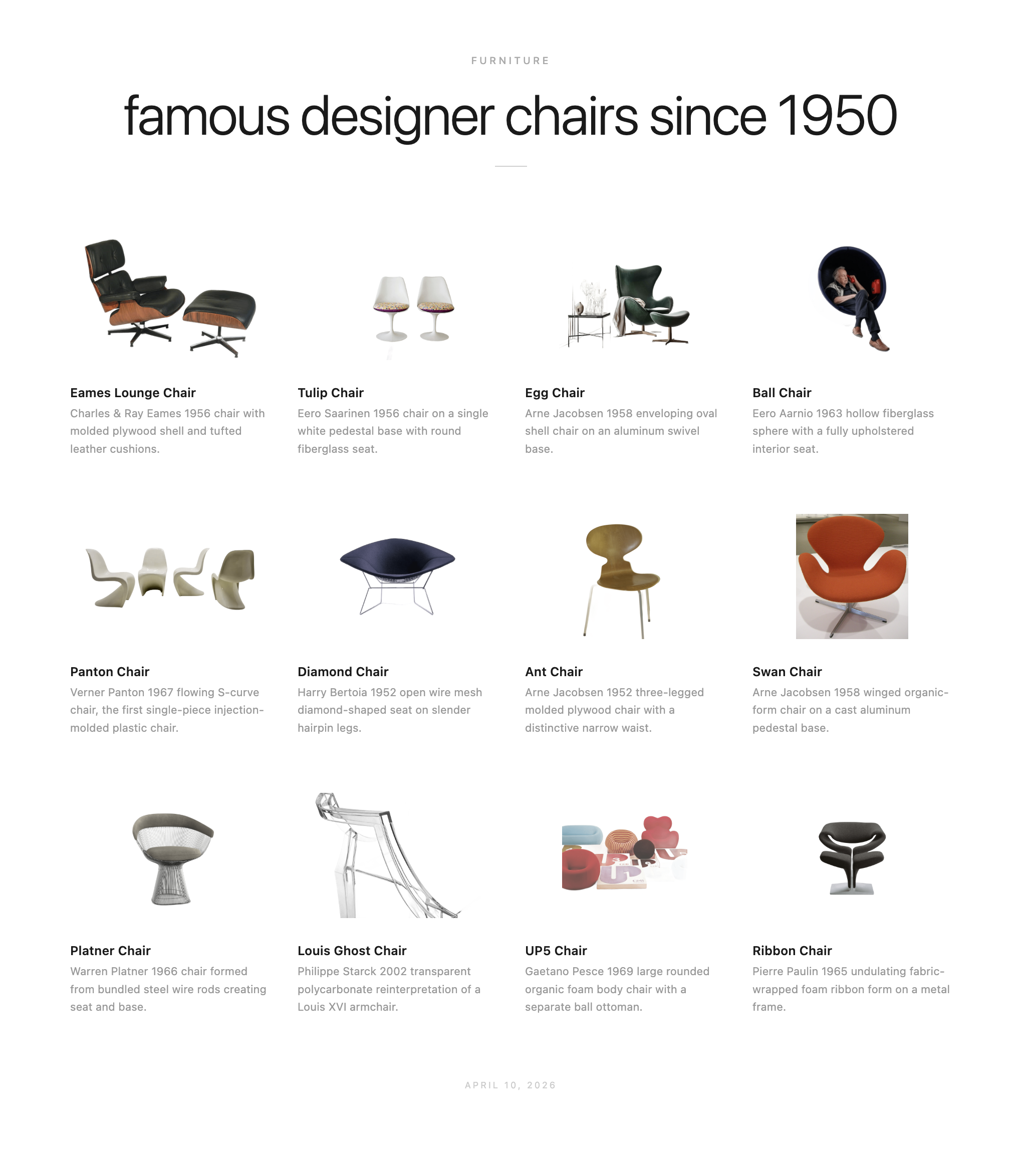
Inspiration: I wanted a fast way to visually learn a new subject — not a Wikipedia article, but something closer to a museum wall panel: a curated grid of labeled images that gives you the full shape of a concept at a glance. Type “types of pasta” or “famous designer chairs since 1950” and get back a beautiful, self-contained reference poster in seconds.
Core Features:
- Generates 12 visually distinct variants of any concept using Claude
- Fetches real imagery from the web via
og:imagemeta tags - Removes backgrounds locally using the RMBG-1.4 ONNX model — no external ML API, no data leaving your machine
- Outputs a fully self-contained HTML file with all images embedded as base64
- Client-side PNG export via html2canvas (no server, no build step)
- Invoked as a custom
/exploreslash command inside Claude Code
What I Learned Building It:
-
Self-contained HTML as a first-class output format. The output is a single
.htmlfile you can email, archive, or drop in a repo — no hosting required. Every image is embedded as a base64 data URI, so the file is portable by construction. The renderer has zero runtime dependencies: no framework, no bundler, just semantic HTML and inline CSS. Constraints like these push you toward simpler, more durable design. -
Local ML is more practical than it used to be. Background removal is the one step that could have required an external API. Instead,
@imgly/background-removal-noderuns the RMBG-1.4 model locally via ONNX Runtime. It’s slower than a cloud API call, but it works offline, has no per-image cost, and keeps the pipeline completely self-contained. For a tool like this — where images are personal or potentially sensitive — that’s the right trade-off. -
Claude Code slash commands as a coordination layer. The
/explorecommand is a custom skill defined in.claude/commands/explore.md. It orchestrates four distinct steps — taxonomy generation, image search, background removal, and HTML rendering — each as a separate tool call or subprocess. Framing the workflow as a slash command made it easy to iterate on individual steps without breaking the whole pipeline, and gave the tool a clean invocation surface.
Example Output:
Types of pasta, famous designer chairs since 1950, and whale species — each generated in under two minutes.